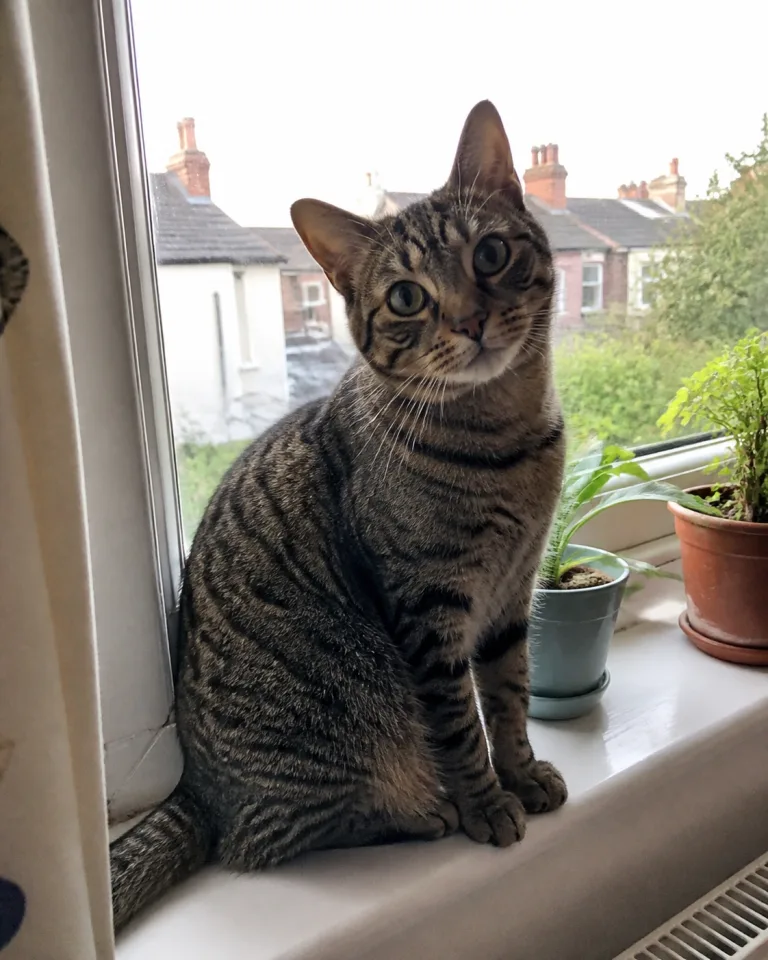
“Milo usually hides at the vet, but the whole team gave him time to settle. By the end he was taking treats from the nurse.”
Reviews software for veterinary practices
Make it easy for clients to share their experience in writing or on video, then share their reviews on your website and Vet Verified profile. Your practice must be Verified to use Reviews. Start by claiming your listing and completing Verification.
Greenfield Vets
3 branches
Sarah Hughes
Practice manager
Review library
All branches · 128 reviews
Collected
128
Video
24
Published
36
Average rating
4.8
Sarah & Milo
Cats · Consultation · High Street
“The team explained every option clearly and helped Milo feel calm.”
James & Bonnie
Dogs · Vaccination · High Street
Written version ready
“Kind, practical advice and no rushing. I left knowing exactly what to look out for.”
Margaret & Poppy
Dogs · Dental · Riverside
“Poppy has been cared for here since she was a puppy. Everyone remembers her.”
Send clients a short form by link, email or QR code.
Bring reviews from different places into one simple library.
Add client reviews to your profile, website or social media.
How it works
Bring in reviews you already have, ask clients for new ones and choose where to share them.
Import reviews you have the right to reuse from Google, other review websites or a spreadsheet.
Send a short form with your practice name and logo. Clients can reply in writing or by video.
Sort reviews by branch, animal, service, rating or where they came from.
Every review a client submits is ready to use across your listing, website and social media.
Collect new reviews
Add your practice name and logo, then choose a few questions. Clients can write a review or record a short video. By submitting it, they give permission for the review to be used.
Share your experience

Greenfield Vets
About 2 minutes
How would you like to leave your review?
Write a review
Record a video
What would you like to tell Greenfield Vets?
The nurse was so patient with Milo…
Submitting gives Greenfield Vets permission to use your review.
Share your form
High Street · Routine appointment form
Sent 2 days after each routine visit, with your name and logo.
Direct link
QR code
Wall of love
Display a wall of love on your website, bringing together the kind words, star ratings and happy faces that show pet owners what your practice is really like.
“Milo usually hides at the vet, but the whole team gave him time to settle. By the end he was taking treats from the nurse.”
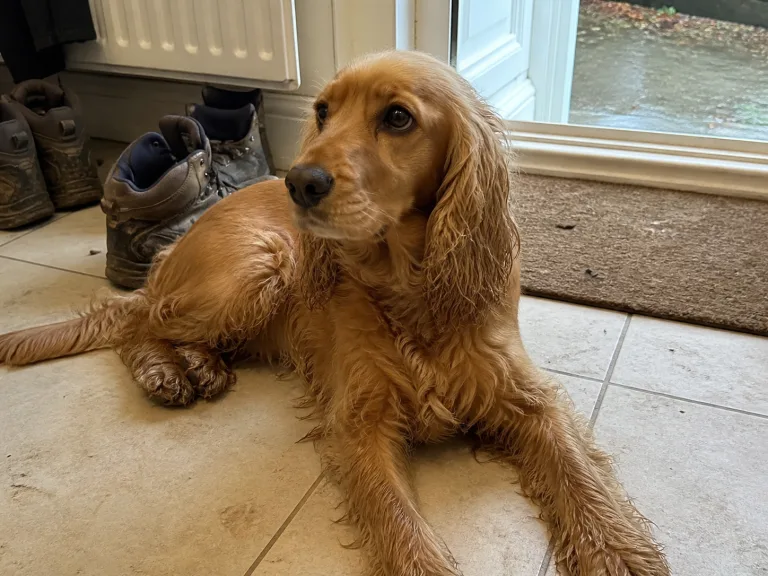
“Kind, practical advice and no rushing. I left knowing exactly what to look out for and what to do next.”
“Poppy has been cared for here since she was a puppy. Everyone remembers her and treats her like one of their own.”

“They explained every option clearly and helped us make the right decision for Nala.”
“We got a same-day appointment and such a warm welcome. The follow-up call the next morning meant a lot.”

“A calm, thoughtful team who listened to all our questions. Pepper was back to herself in no time.”
“The team called later that evening just to check Teddy was settling. That small kindness made a stressful day much easier.”

“Booking was simple, we were seen on time and Maple was completely at ease with the nurse.”
“Every question was taken seriously and nothing felt rushed. Fig was back climbing the curtains by the next morning.”
Find reviews
New and existing reviews sit in a shared library. Search them or narrow the list by branch, animal, service, rating or where the review came from.
Video reviews come with a written version, and you can download a copy of your reviews whenever you need one.
Review library
High Street · 42 of 128 reviews
Sarah & Milo
Cats · Consultation · High Street
“The team explained every option clearly and helped Milo feel calm.”
James & Bonnie
Dogs · Vaccination · High Street
Written version ready
“Kind, practical advice and no rushing. I left knowing exactly what to look out for.”
Connected to Vet Verified
Publish reviews from the library to your Vet Verified profile and practice website. They appear beside the practice details pet owners already use to compare vets.
Show reviews alongside your opening hours, services and Verification tick.
Add your rating and reviews to your existing website as a carousel or full review feed.
Create a page for written and video reviews using your practice name, logo and colours.
Turn a review into an image or short video clip that is ready to post.
For veterinary practices
Client feedback can mention staff, treatment and difficult cases. Groups may also need to manage several branches. Practice feedback shapes how the software handles these details.
Make it clear that submitting a written or video review gives the practice permission to use it.
See every branch in a group view while each practice keeps its own form and reviews.
Keep notes private, send feedback to the appropriate colleague and publish a reply when needed.
Use different questions for routine appointments, referrals or other parts of your service instead of sending every client the same form.
Show a short thank-you message after someone leaves a review and explain what happens next.
Download your review text, dates, source details and video files whenever you need them.
Early adopter offer
The Reviews app includes unlimited users, reviews and replies. Your branch must be Verified before adding the software.
Early adopters also receive a seat on our Practice Advisory Council, with the opportunity to help shape Vet Verified and the tools we build for veterinary practices.
£125 + VAT / month
First year, per branch, paid annually
Then £250 + VAT / month
About access and the reviews software.
For Verified practices
Collect and share client reviews that show pet owners what your practice is like.
Already Verified? Email the team and we’ll help you get started.